
Light up your Mercedes.
Thirty-plus headlight effects, played from your phone through the OBD port. Nothing permanent.
For a vehicle you own, parked and stationary, off public roads. For show and demonstration only.
Light show preview
Your headlights, on your terms.
MercLight talks to the front lighting modules the same way a workshop tool does: over ordinary diagnostic commands, through a Bluetooth OBD adapter you plug in yourself.
- Thirty-plus effects, one tap
- Police bursts, strobes, sweeps and fully scripted shows, each with a live preview in the app before you play it.
- Build combos and playlists
- Chain effects back-to-back, loop them, and save the sequence. Gapless mode keeps the ECU unlocked across the whole run so there's no pause between steps.
- Tuned to your car
- The app reads your VIN, identifies the lighting modules, and learns which segments work, so effects run faster and cleaner on your lamps.
- Demo mode, no car needed
- Try every screen against a demo vehicle before you ever plug in. It never touches a real car. There is simply no link for a command to travel down.
Plug in. Connect. Play.
Ignition on; the engine can stay off. That's the only preparation.
- 1
Plug in the adapter
An MBito OBD, vLinker BLE or KONNWEI adapter into the OBD-II port under the dash. Those are the three we test with and recommend.
- 2
Tap Connect
The app finds the adapter, reads the VIN, identifies the lighting modules and unlocks the front ECU. About ten seconds.
- 3
Pick an effect
Tap a tile. The lamps play it and return to normal. Build a combo or save a playlist.
Four tabs. Nothing to learn.
-
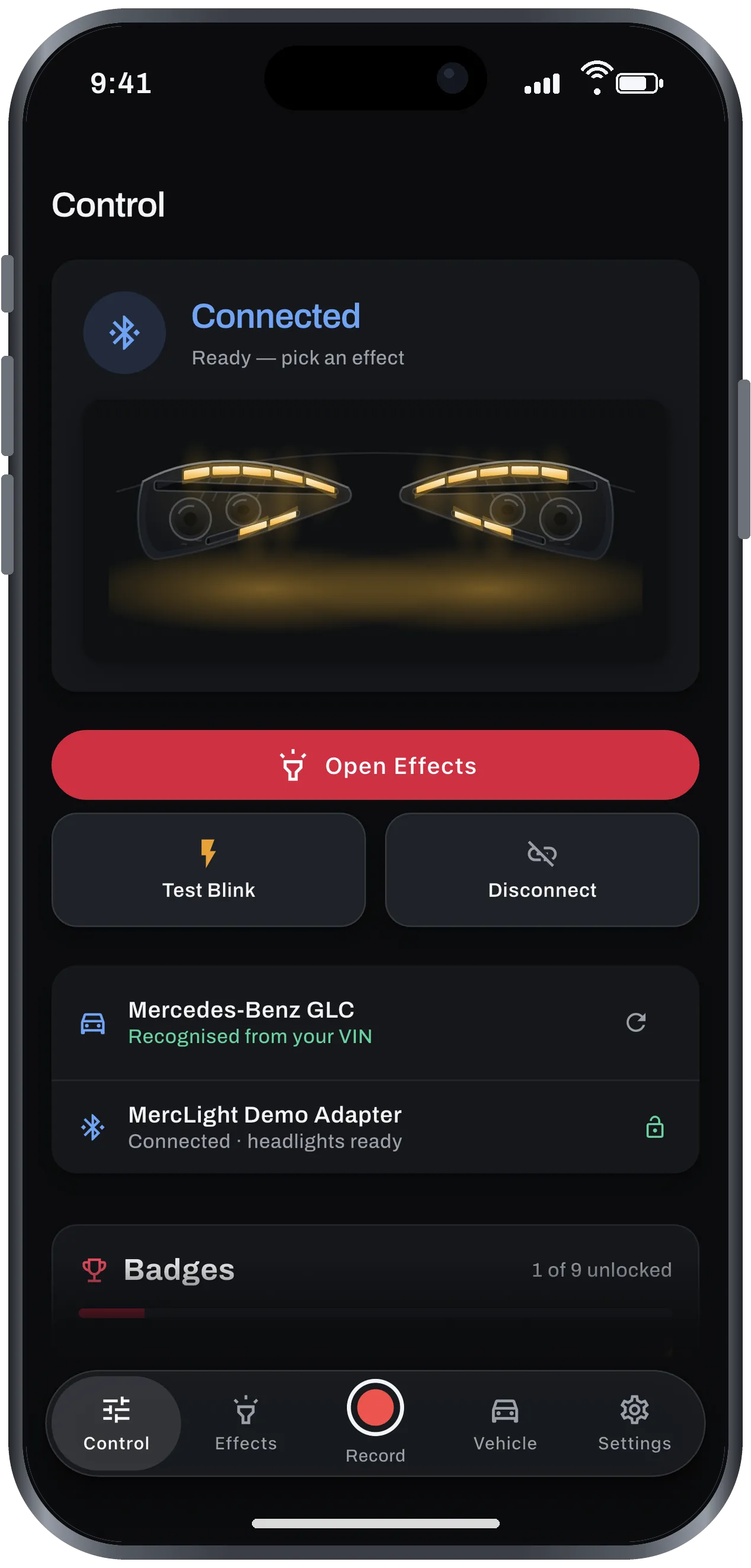
Control
Connect and see your car and its lights. The headlight graphic mirrors what the real lamps are doing.
-
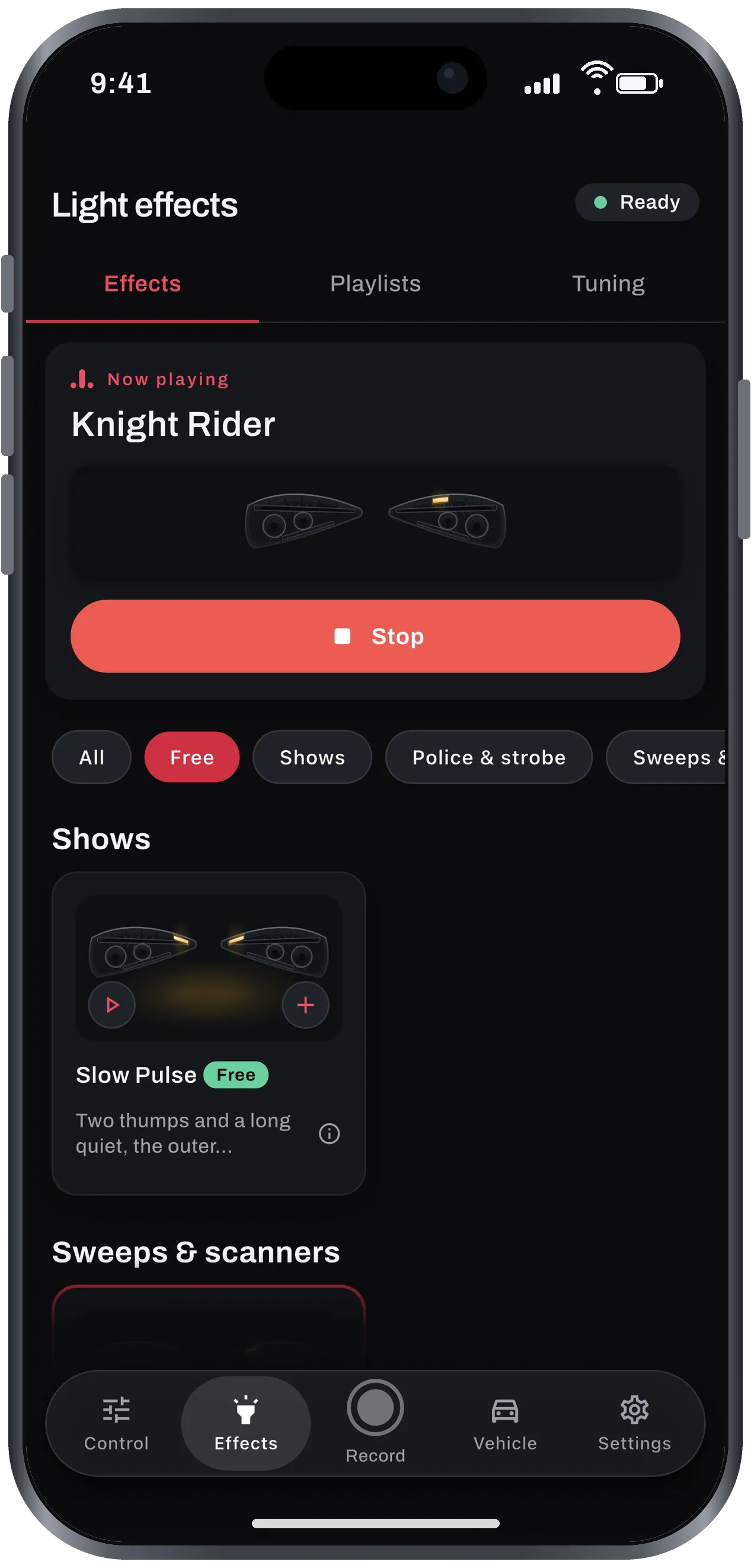
Effects
A grid of thirty-plus effects with live previews. Tap to play; tap + to add to a combo. Playlists save the sequences you like.
-
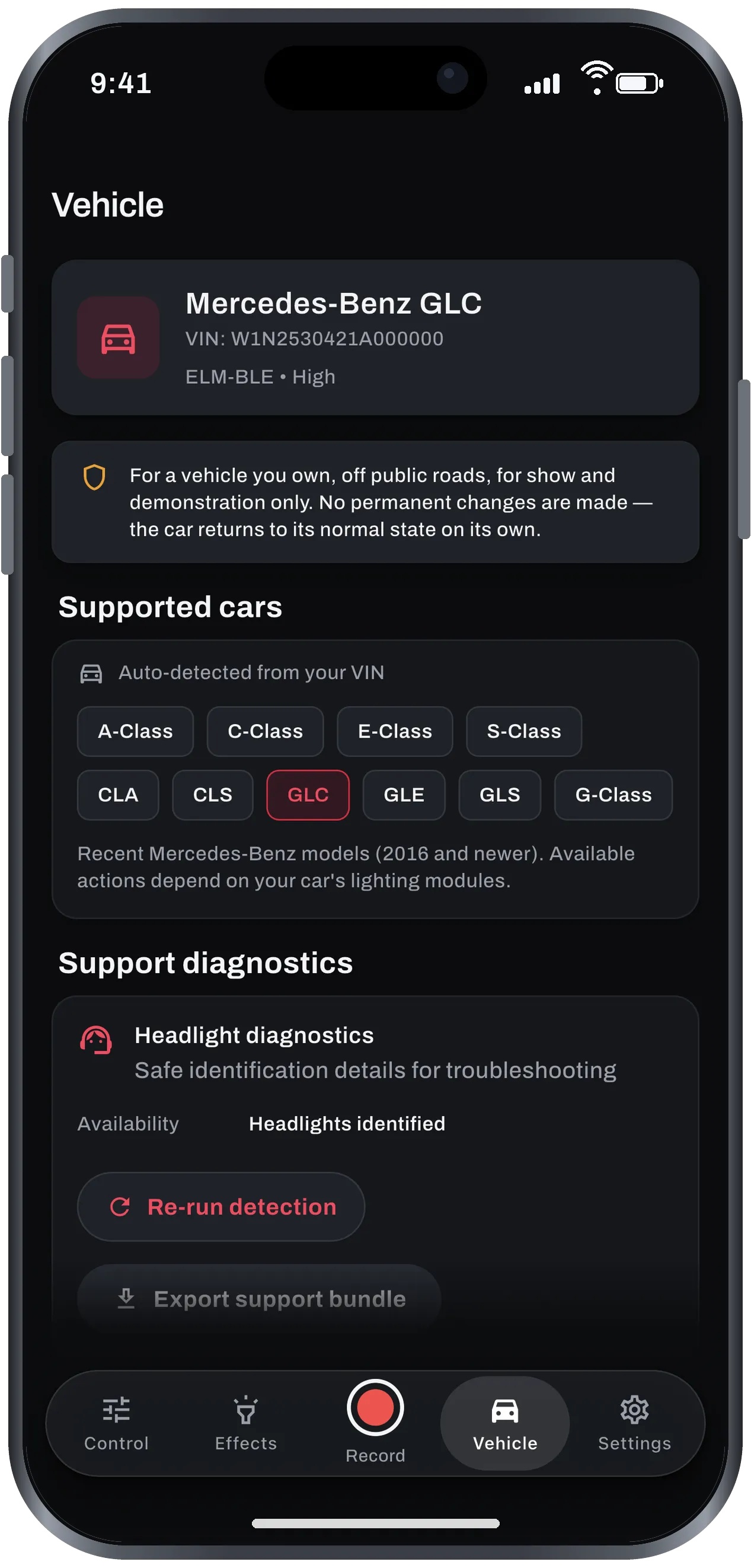
Vehicle
Identified from the VIN and decoded on the phone, alongside the list of supported models.
-
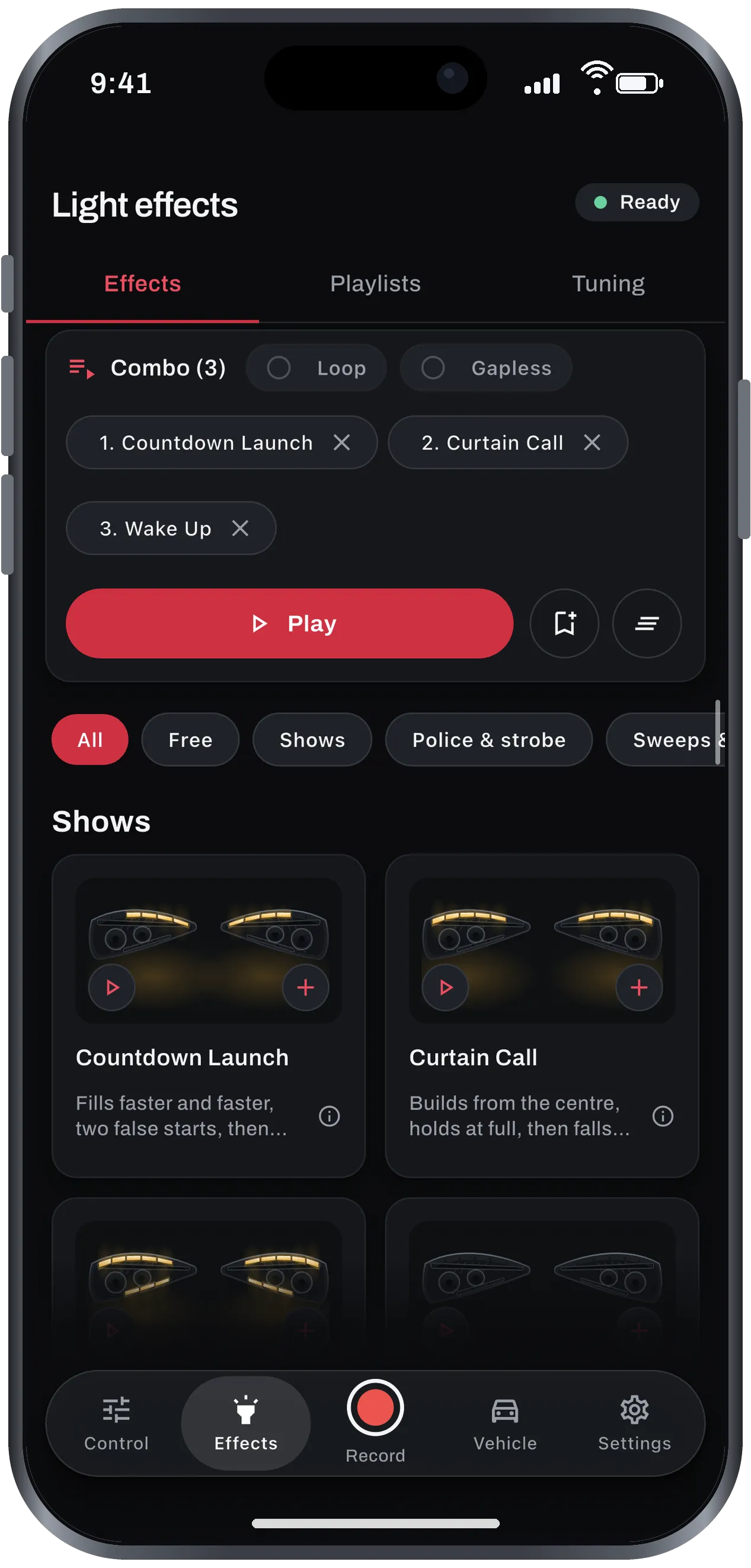
Combos
Chain effects back-to-back, loop them, and keep the ECU unlocked across the whole run with Gapless. Save the sequence as a playlist.
Unplug it. Back to stock.
No coding, no flashing, no modified firmware. Every command is temporary; the car returns to its normal state on its own, every time.
- No coding
- No flashing
- No modified firmware
Against the other ways to do it.
The same lights can be driven by dealer-style coding or a module wired into the car. Here is where MercLight differs.
| Criterion | MercLight | Coding tool | Wired flasher module |
|---|---|---|---|
| Permanent change to the car | None | Rewrites ECU parameters | Spliced into the harness |
| Hardware needed | A Bluetooth OBD adapter | Cable or adapter plus a laptop | Module, wiring, installation |
| Try before paying | Free effects to try out! | ||
| Runs from your phone | Remote or switch | ||
| Undo | Unplug the adapter | Re-code | Remove the module |
| Sign-up, ads or tracking | None | Varies | Not applicable |
Too good to be true? Free effects to try!
See it on your own car before you decide anything. No sign-up, no trial clock, nothing to unlock first: plug in the adapter and the free effects run.
Recent Mercedes. Tested adapters.
The app confirms your exact lighting modules before it ever sends a command, and when we add a mapping for a new car, it downloads to your phone without an update.
Supported models
- A-ClassW177
- C-ClassW205, W206
- E-ClassW213, W214
- S-ClassW222, W223
- CLAC117, C118
- CLSC257
- GLCX253, X254
- GLEV167
- GLSX167
- G-ClassW463
Models from 2016 onward. Available actions depend on the lighting modules fitted to your car. The app tells you before you buy.
- MBito OBD
MBito is a trademark of UAB Mbito. MercLight is independently developed and is not affiliated with, sponsored by, or endorsed by MBito.
- vLinker BLE
- KONNWEI
Wi-Fi and USB adapters are not supported; the app talks Bluetooth LE only.
Operating non-standard lighting on a public road is illegal in most places. MercLight makes no permanent changes, but where and how you use it is your responsibility.
Straight answers.
Is this safe for my car?
It sends the same diagnostic commands a workshop tool uses and makes no permanent changes. Use it only on a vehicle you own, off public roads, for show and demonstration purposes.
Can I run an effect while driving?
No. The app is for a vehicle that is parked and stationary, off public roads. Operating non-standard lighting on a public road is illegal in most places, and it is unsafe for you and everyone around you.
Will it set warning lights on my car?
No, that is unlikely. The app sends ordinary diagnostic commands to the lighting modules, and nothing it does is lasting.
What if the connection drops?
Nothing happens. The lamps return to normal on their own, and you just reconnect and play again.
Which OBD adapter should I use?
We recommend MBito OBD, vLinker BLE and KONNWEI Bluetooth LE adapters; they are the ones we test. Other ELM327-compatible Bluetooth LE adapters may work, but very cheap clones can be too slow for the fastest strobe patterns. If "strobe" or "max" looks choppy, drop to "fast" or "normal". MBito is a trademark of UAB Mbito. MercLight is independently developed and is not affiliated with, sponsored by, or endorsed by MBito.
How do I connect?
1. Switch the ignition on. The engine does not need to run, but the lighting modules only answer when the car is awake. 2. Plug the adapter into the OBD-II port. 3. Open MercLight, tap Connect, and pick your adapter. The app reads the VIN, decodes the model, and unlocks the front ECU automatically.
Which Mercedes models are supported?
Cars from 2016 onward across the A, C, E and S-Class, CLA, CLS, GLC, GLE, GLS and G-Class ranges. What matters is the lighting module fitted, so the app identifies yours and shows only the effects it can run, before you buy.
Is it free?
It's free to install, and some effects are free to try on your own car. Everything else is available in the app, sold through Apple or Google in your local currency.
All 16 questions, including adapters, multiple cars, languages and refunds.

Your car. Your show.
Launching on Android and iOS together. Free to install, with free effects included. Get the release notification and be first on your car.
Email us and we'll tell you the day it ships.
- Android
- iOS
- Coming to both stores at the same time.